
Find the file without the scroll
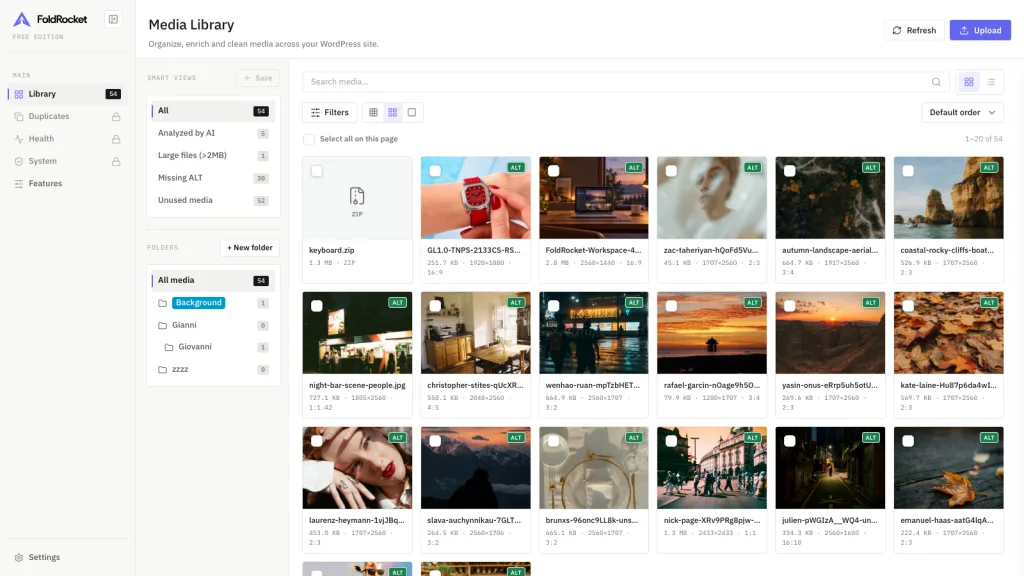
Group work by client, campaign or project. You stop digging through years of uploads, and the original files never move.
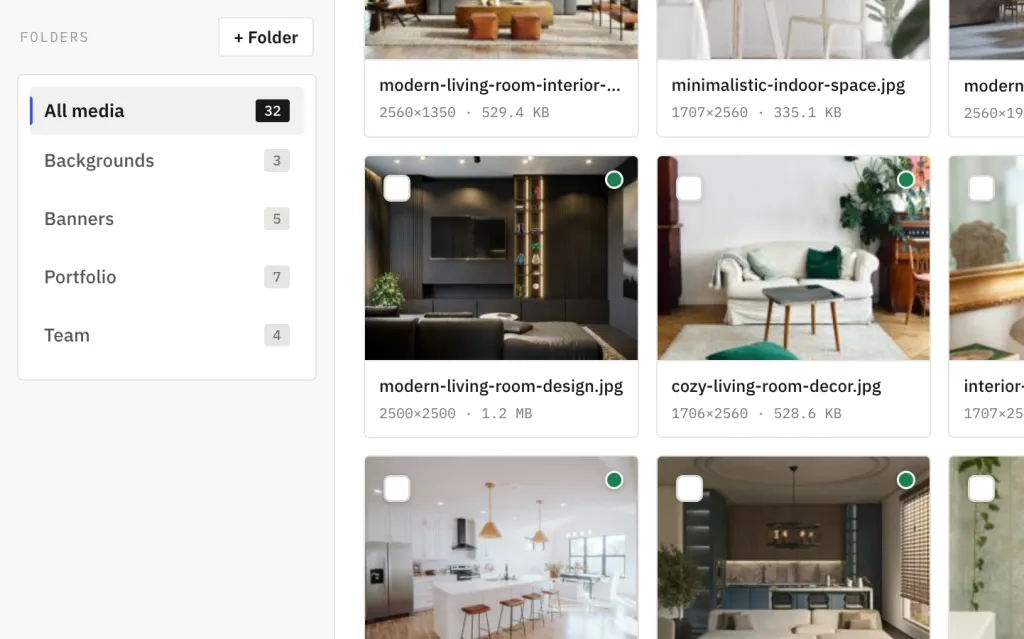
A tidier library, fewer leftover files, and clients who do not have to ask where the logo went. It is not a stock library, and it does not store files off your WordPress site.
Group work by client, campaign or project. You stop digging through years of uploads, and the original files never move.
The same folders and filters are there when you pick an image from a post or a block. You stay in the editor.
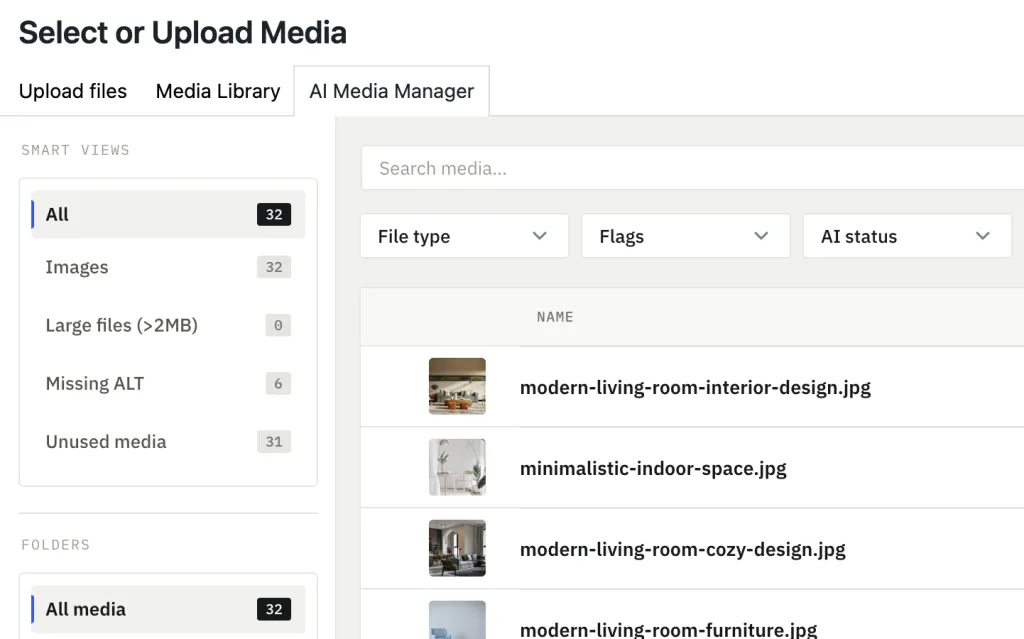
See where each file is used, then clear unused and duplicate images knowing what stays. You see every reference first, so nothing is deleted on a guess.
Crop, resize, compress and replace in place, so a last-minute request does not send you out of WordPress.
A large library does not stall the rest of the site. The heavy work runs in the background, so you can keep editing.
Titles, ALT text and captions stay consistent across languages, so you are not rewriting the same image five times.
Optional AI drafts ALT text and titles with your own key. You review before anything is saved, and you decide the cost.
Oversized images and thin metadata show up together, so you fix the worst of it before launch.
FoldRocket fits alongside your builders, themes and plugins, adding a better media workflow without moving files or changing how your site is built.
 Elementor
 Divi
 Beaver Builder
 Bricks
 Breakdance
 Oxygen
 WPBakery
 Visual Composer
 Gutenberg
 WooCommerce
 Yoast SEO
 Rank Math
 WPForms
 Advanced Custom Fields
 Contact Form 7
 Polylang
 WPML
 Astra
 Kadence
 GeneratePress
 OceanWP
 Neve
 Avada
2,500+
WordPress sites have installed FoldRocket.
Still shipping. Read the changelog.
300,000+ media files indexed
900,000+ metadata fields generated
Bring your existing folders into FoldRocket from HappyFiles, FileBird, Real Media Library or WP Media Folder.
Your files stay in place. The source plugin’s folder data stays intact.

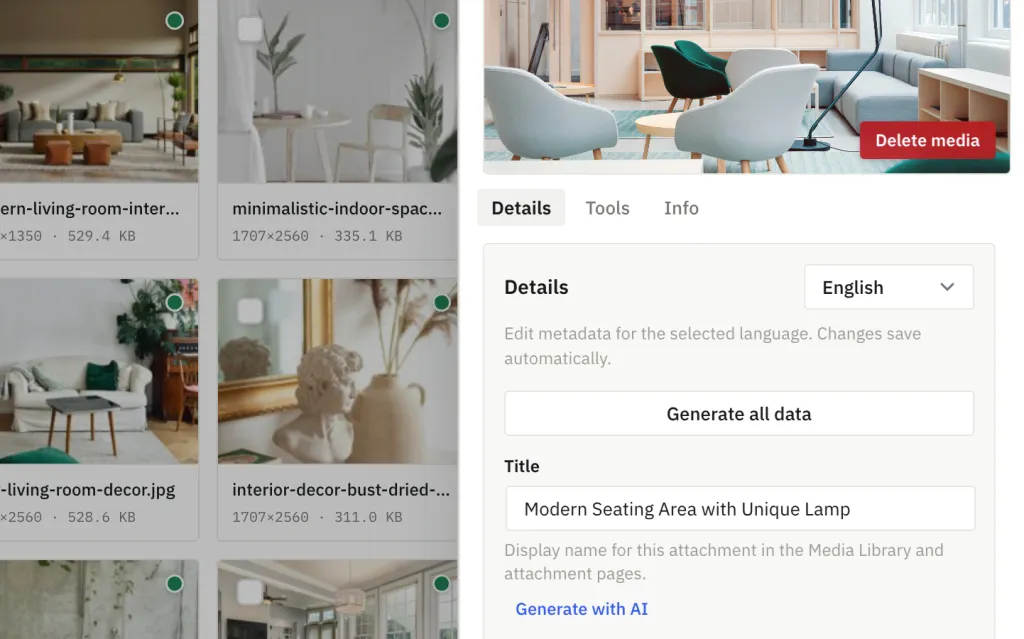
Open an image and you see its title, where it lives, and whether it is still on the site.
Titles, ALT text and captions live together. When you want help, AI drafts the text and you approve it. Nothing changes until you are sure.
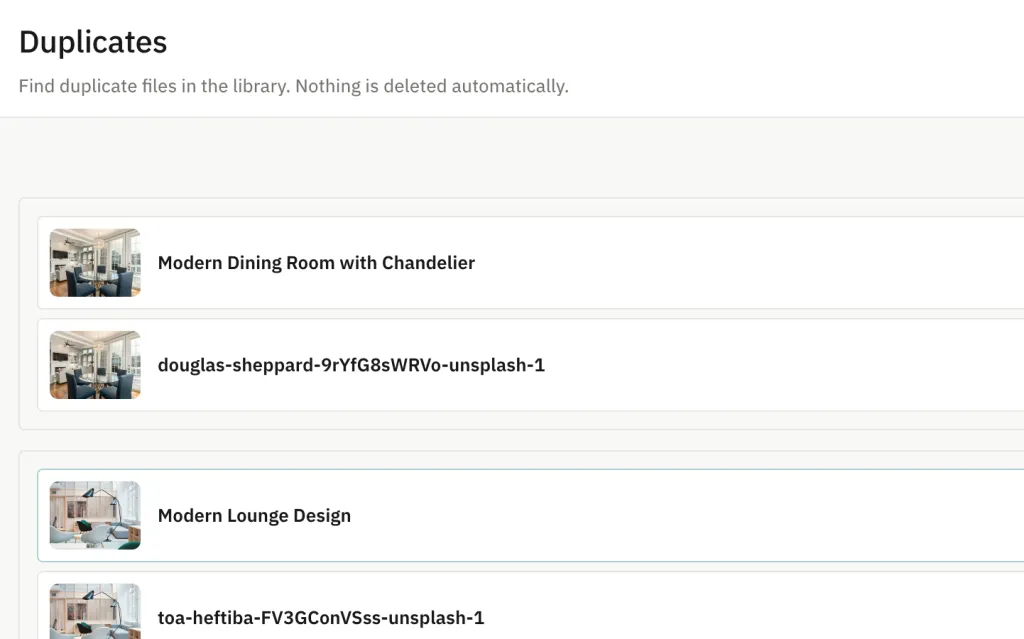
Unused and lookalike images are grouped so you can review them. You pick what goes. The plugin never decides for you.
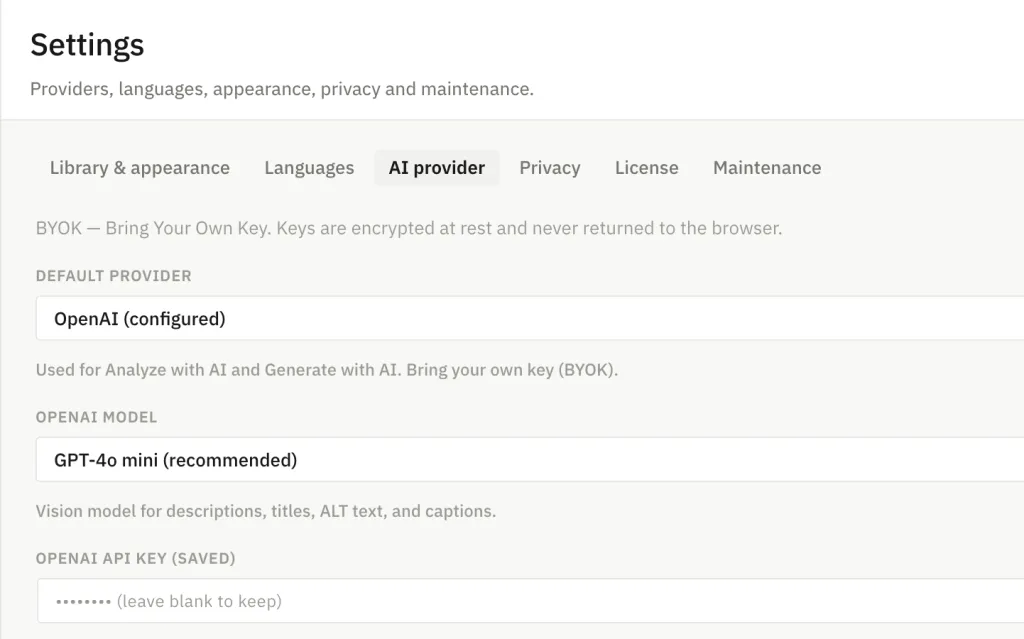
Turn AI on only when it saves you time. Requests go to the provider you pick.
What used to be a pile becomes a workspace you can open without bracing yourself.
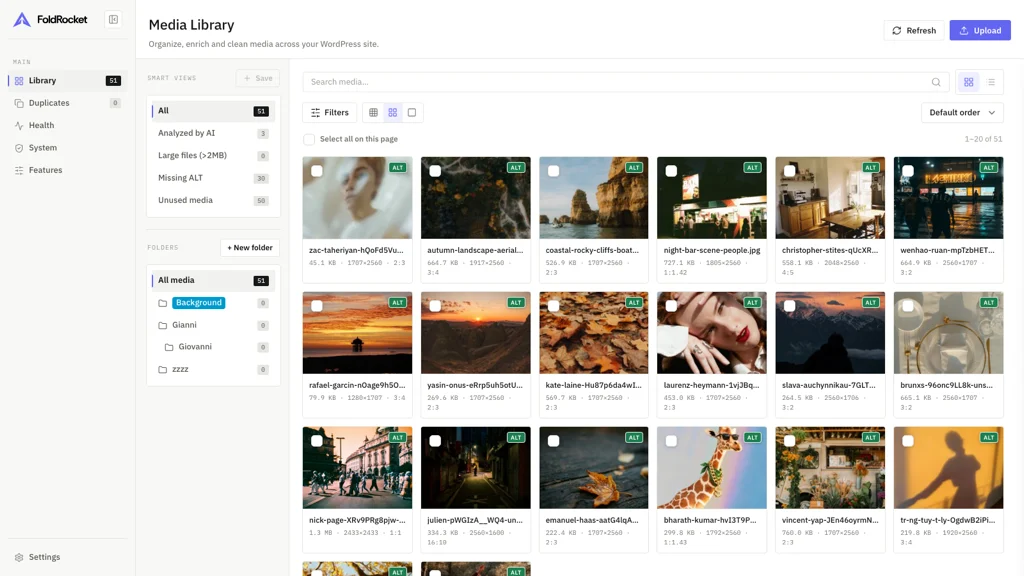
A campaign goes live and you open the folder, not a decade of uploads.
References list the posts, pages and products that still need it, so a delete does not break a live page.
Production stays licensed. Local and staging hosts are ignored, so a clone does not burn a website slot.
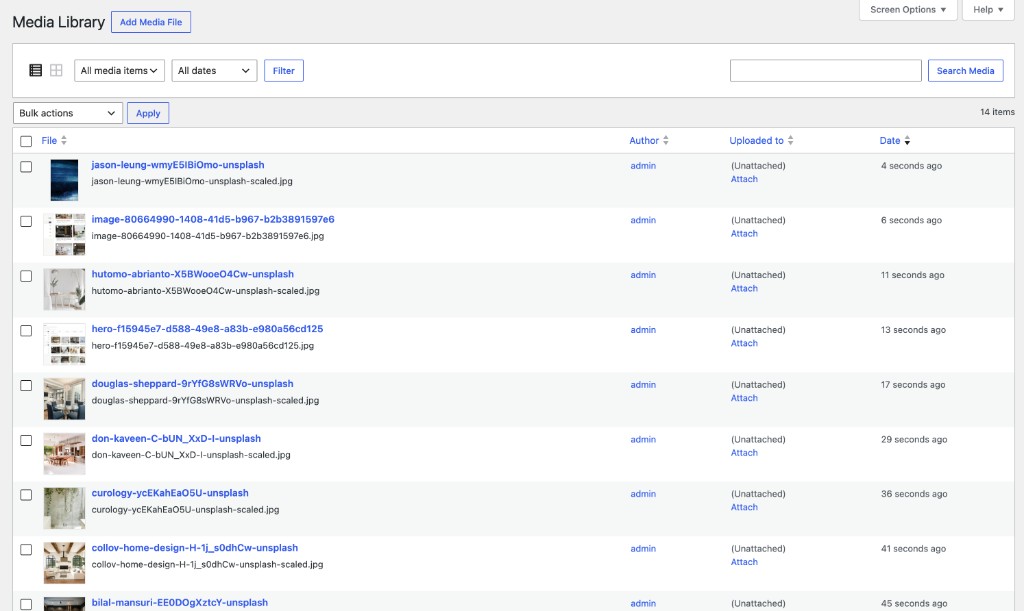
Drag to see the difference. Folders, filters and a usable grid — without moving a single file.
Choose how many sites you need, then pay yearly or once for lifetime access.
Billed yearly. Renew annually for continued updates and Pro access.
1 website
€29/ year
Get PersonalRecommended
10 websites
€69/ year
Get FreelancerUnlimited websites
€129/ year
Get Agency14-day money-back on new plans. Renewals non-refundable — details on the Refund Policy. Paid with Stripe.
Already purchased? Sign in to your account
FoldRocket can follow each user’s WordPress language, so the library, settings and image tools feel familiar from the first click.
Yes. The free library, inspector, folders, and filters never call an AI provider. Pro image tools and insights also run on your site. AI analysis, metadata, and rename need a BYOK API key you supply.
Yes. One developer, shipping since 2025. The changelog shows the pace.
No. Folders are virtual, including nested folders and drag-and-drop. Files stay in uploads. Destructive actions require confirmation. Uninstall never removes WordPress media files.
Yes. Settings → Import copies those folders and which files are in them. The files stay in the same place, and the original plugin data is left as it is.
The free version includes the media library, inspector, nested virtual folders, folder colors, zip download, filters, upload, the right-click menu, folder import, and the WordPress media picker — no license key. Pro adds AI, smart views, health, unused and duplicate detection, image tools, and white label.
Yes, in the free library. Add a subfolder, drag a folder onto another to move it, or onto All media to return it to the top level. Select color paints the name in the sidebar. Inside a folder, drag files onto each other to set a custom order. Download zip packs the current folder or smart view and deletes the archive after the download. Files are not moved on disk.
Right-click a file to copy its URL or filename, download it, add it to a folder, open its details, or delete it. On an image, the first action is Generate ALT or Analyze with AI when that is still needed. Those AI actions need Pro and an API key. Delete still asks for confirmation.
Spend less time hunting images, and stop treating media cleanup as a weekend project.
See it on a real library.
The free plugin organizes your media. Pro finds unused files, duplicates, and missing ALT text, and it edits images inside WordPress. Nothing is deleted until you confirm.