Key takeaways
- Score plugins out of 100 across five weighted features: folders (30), cleanup (25), renaming (20), ALT text (15), compression (10).
- Folder-only plugins like HappyFiles, FileBird, and Real Media Library organize well but leave unused media, duplicates, and missing ALT text untouched.
- FoldRocket scores well on folders and cleanup but has no built-in compression engine, so pair it with a dedicated optimizer if page speed matters.
- Staging installs should not consume license seats; FoldRocket's €79 Freelancer tier treats staging as non-consuming.
- Check a plugin's changelog date and support forum for abandonment signals, and always test renaming and cleanup on staging before buying.
Most "best WordPress media management plugin" lists are top-10 roundups with no scoring method, making it hard to determine which features matter most for your needs. This article provides a weighted rubric with explicit point allocations, applying it honestly to various plugin categories and mapping site types (agency, publisher, WooCommerce) to the relevant feature sets. We also evaluate FoldRocket using this rubric, highlighting both strengths and weaknesses.
What workflow problems signal you've outgrown the default media library?
The junk drawer problem at scale
The default library is a flat, reverse-chronological list. This works until a client site crosses a few thousand uploads, making it difficult to find specific images without scrolling or guessing filenames. Developers managing multiple sites face this challenge twice: once per site and again when handing over cleaner sites to clients who must navigate the existing structure.
Symptoms: duplicates, unused media, missing ALT text
Watch for three key issues: first, duplicates from repeated uploads and re-compressed variants; second, unused media, such as old screenshots and replaced graphics with no associated posts; and third, missing ALT text, which negatively impacts accessibility and SEO. A reviewer noted that assessing and fixing unused media often requires manual effort (Marketing with Dave review).
If you're renaming files manually or rebuilding folders on each staging copy, the built-in library has stopped scaling. A folder tool like HappyFiles can improve organization, but cleanup and ALT text management require more than just folders. This gap is where a comprehensive media management plugin like FoldRocket excels.
What features actually matter in a WordPress media management plugin?
Five key areas determine whether a plugin effectively addresses your media management needs. Score each one before making a purchase.
Folder organization and virtual folders
Folders are essential. What distinguishes plugins is whether they offer virtual folders (where file paths remain unchanged during reorganization) and whether these folders survive site migrations. FileBird, HappyFiles, WP Media Folder, and Real Media Library all provide this functionality; check how each handles attachments used across multiple posts.
Search and filtering
Folders are only helpful if you remember where you filed things. As libraries grow beyond a few thousand items, filtering by unused media, file size, or attachment type becomes increasingly important.
Renaming files
Filenames uploaded by clients (e.g., "IMG_4021_final.jpg") can harm SEO and complicate handovers. Renaming should update references in content, not just the file name.
ALT text handling
Missing ALT text presents an accessibility and SEO gap. Bulk auditing is more efficient than editing one image at a time.
Compression and cleanup
Unused media and oversized images can slow down page loads. Compression often overlaps with dedicated tools, so check interoperability, as seen in the Imagify comparison.
| Feature | Fixes | Priority if you... |
|---|---|---|
| Folders | Navigation | Hand over cleaner sites |
| Search/filtering | Findability | Manage large libraries |
| Renaming | SEO, handovers | Inherit client uploads |
| ALT text | Accessibility, SEO | Publish content-heavy sites |
| Compression/cleanup | Page speed | Maintain WooCommerce stores |
How do folder plugins differ from full media management suites?
Folders-only: HappyFiles, FileBird, Real Media Library
Folder plugins excel at organizing the media library into virtual folders. HappyFiles, FileBird, and Real Media Library attach taxonomy-based folders to attachments without altering your files or URLs. This approach minimizes risk, allows for easy uninstallation, and performs well on all sites.
The downside is their limited scope. None of these plugins clean up unused media, detect duplicates, rename files, or address missing ALT text. If a client's library contains 8,000 unsorted uploads and 3,000 unused files, relying solely on folders leaves much of the clutter untouched.
Broader suites: WP Media Folder, FoldRocket
Comprehensive suites incorporate cleanup, renaming, and image tools alongside organization. WP Media Folder (JoomUnited) combines folders with gallery and file management, while FoldRocket adds cleanup, renaming, ALT text management, and optional BYOK AI, without consuming license seats for staging copies. This feature is particularly beneficial for developers managing multiple sites.
However, suites require more testing than folders-only plugins due to their broader impact on WordPress. If you only need renaming, a focused tool like Media File Renamer may suffice; for a complete workflow, consider a suite.
How should you weigh renaming, ALT text, and compression against folder organization?
The weighted rubric, explained
Score each plugin out of 100 across five features: folders (30), cleanup (25), renaming (20), ALT text (15), compression (10). The weights reflect the time savings each feature provides across your entire library. Folders and cleanup impact every file, while renaming, ALT text, and compression affect only a subset, resulting in lower scores for those features. Apply the same weights to every plugin, including those that focus solely on folders.
Why folders get the heaviest weight
Folder organization is a feature you utilize every session on every site throughout the license's lifespan. Developers handing over cleaner sites rely on virtual folders daily; renaming occurs once per migration, and compression typically runs in the background. A plugin that excels in folder organization can still be useful, even if it lacks other features. This is why folder-only tools like FileBird or Real Media Library (devowl.io) remain popular despite their limited functionality. Full suites earn additional points by incorporating cleanup and renaming, and our WP Media Folder comparison reflects this scoring system.
Where cleanup and ALT text earn their points
Cleanup scores 25 because unused media and duplicates are often hidden until a scan reveals them. ALT text receives 15 points for its importance to accessibility and client deliverables, particularly for image-heavy projects. Compression receives the lowest weight because dedicated plugins typically handle it effectively.
Which media library features matter most for WooCommerce and agency sites?
Feature priorities vary based on site type. A folder plugin suitable for a blog may not be ideal for a 5,000-product store.
Agencies: staging, seats, handover
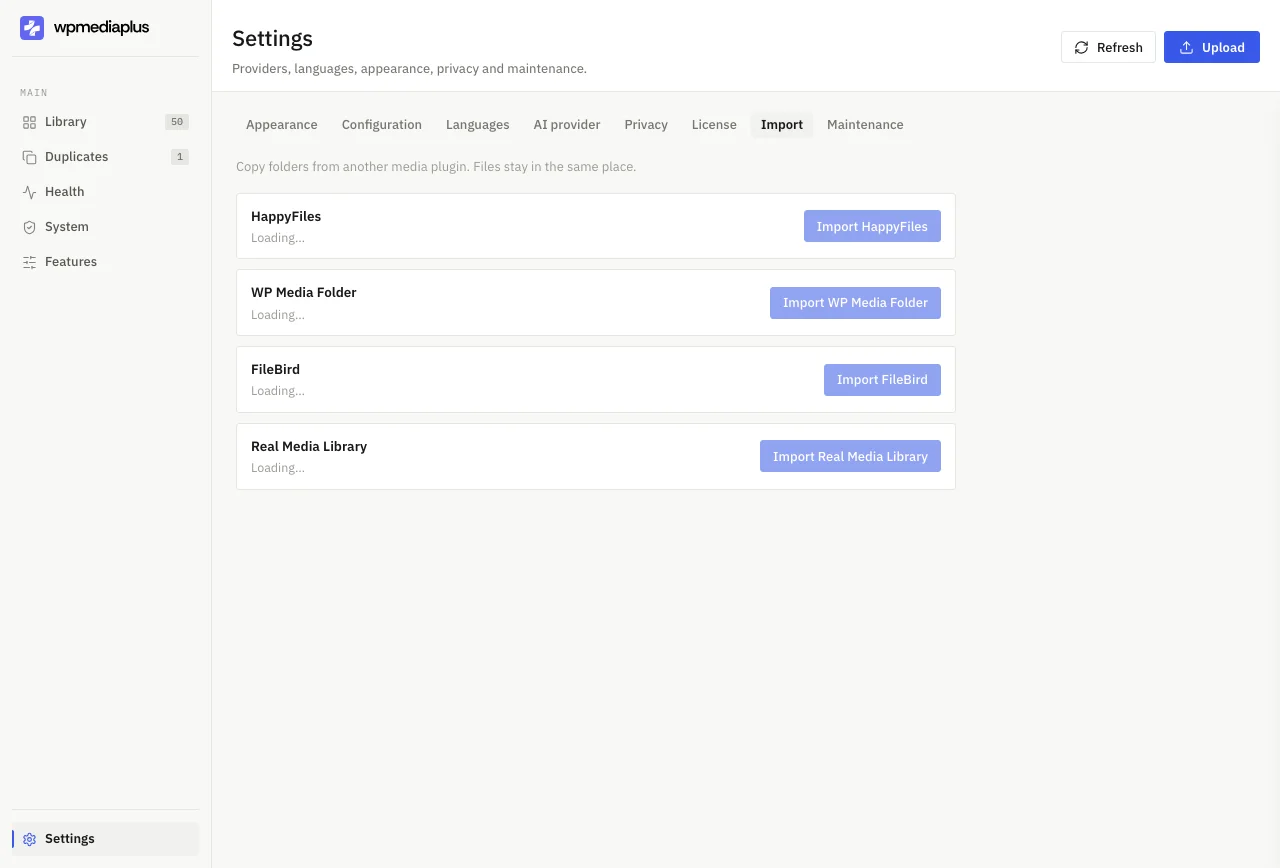
Multi-site managers should verify licensing before selecting features. Some plugins charge per site, meaning a staging copy consumes a license seat. FoldRocket offers a freelancer tier at €79, with staging sites not counting against your license, as detailed on its pricing page. The second priority is ensuring a smooth handover: virtual folders and cleanup routines should be documented, allowing clients to inherit a well-organized library. Folder-only tools like HappyFiles or FileBird can assist with organization but leave cleanup responsibilities to you.
WooCommerce: rename safety and bulk operations
Product galleries reference images in various contexts: variation swatches, order emails, and caches. Renaming files after upload can disrupt these references unless the tool updates URLs in content. If renaming is necessary, pair folders with a dedicated renamer like Media File Renamer. In this context, bulk operations are often more critical than folder organization.
Publishers: ALT text and search
Large editorial archives require efficient search capabilities and audit trails for missing ALT text, as both accessibility and image SEO depend on it. We evaluate this tradeoff against folder-only organizers like Media Library Organizer in the following section.
How does FoldRocket score against its own rubric?
Evaluating our own plugin using the same criteria yields the following results.
Where it scores well
FoldRocket excels in folder organization: virtual folders work across multisite installations without consuming license seats, and staging installs do not count against your license. Cleanup is another strong point, as the plugin scans for unused media and duplicates, addressing the junk-drawer problem common in neglected libraries. It also provides ALT text management and file renaming, with optional BYOK AI, ensuring your key and costs remain yours. Freelancers benefit from a €79 tier designed for handing over cleaner sites (foldrocket.com).
Where it falls short: no built-in compression engine
FoldRocket lacks a built-in compression engine. If a client library requires image optimization, you will need to pair it with a dedicated compression tool, resulting in an additional subscription and plugin to manage. While search functionality is solid, it does not surpass that of other folder plugins. If compression is a high priority in your rubric, this limitation may steer you toward a competing suite.
How do you test a media management plugin before committing to a license?
Check the support forum for abandonment signals
Visit the plugin's WordPress.org support tab and sort by recent activity. The Media File Renamer thread serves as a cautionary example: users asking whether the plugin is still supported without receiving replies for months is a clear signal of potential abandonment (one such thread). Additionally, check the changelog date; no updates in over 12 months could leave your cleanup efforts stranded mid-project.
Test on staging, not production
Clone a client site, install the plugin, and test it against a messy library containing unused media, duplicates, and missing ALT text. This allows you to evaluate whether renaming safely rewrites URLs and whether cleanup features include an undo option. It also helps confirm which features are included versus optional add-ons, such as the compression and ALT text tools available on FoldRocket's feature pages.
Verify licensing across multisite
If you manage client networks, ensure the license covers staging installs and multiple sites before making a purchase. A per-seat model can significantly increase costs each time you create a copy of a site.
What does a media management plugin cost across license tiers?
Most folder plugins follow one of two pricing models: a one-time license with a year of updates or an annual subscription. One-time pricing is suitable for freelancers who install once and move on, while subscriptions benefit agencies seeking ongoing support and updates across multiple client sites. Regardless of the model, verify what the renewal includes before committing.
Why staging sites shouldn't consume seats
Managing client sites can quickly deplete your license count: production, staging, and local copies of the same site can triple your usage. FoldRocket (https://foldrocket.com/) treats staging as non-consuming, meaning a €79 Freelancer license covers actual client sites rather than copies. For a solo developer handing over cleaner sites, this distinction can save significant costs.
FAQ
Is FoldRocket still actively supported, or will it be abandoned like other plugins I've bought?
Before purchasing, check the changelog date and the support tab. A plugin with no updates in over 12 months or support threads without replies for months is a strong indicator of potential abandonment. FoldRocket maintains an updated changelog and provides support on its site, so verify both before committing to a license.
Can I use one license across my client sites and staging copies?
FoldRocket treats staging installs as non-consuming, so a €79 Freelancer license covers real client sites rather than copies. Confirm this for any plugin you purchase: per-seat models can significantly increase costs when production, staging, and local copies of the same site each consume a seat. Always verify licensing terms before checkout.
Do I still need a separate compression plugin if I install a media management plugin?
FoldRocket does not include a built-in compression engine, so you will need to pair it with a dedicated optimizer like Imagify if page speed is a concern. This means managing an additional subscription and plugin. Compression carries the lowest rubric weight (10 points) because dedicated tools typically handle it well, but if it is a high priority for you, a competing suite may be more suitable.
Will renaming files in the media library break my existing image URLs?
Renaming files can break URLs unless the tool updates references in post content, not just the filename. This is particularly important for WooCommerce stores, where product images are referenced by variation swatches, order emails, and caches. Always test any renamer on a staging site with a real library first, and ensure it updates references everywhere the attachment appears before applying changes in production.
What's the difference between virtual folders and physically moving files?
Virtual folders attach a taxonomy to attachments, ensuring that reorganizing does not alter file paths or URLs, allowing existing embeds to function correctly. Physically moving files on the server rewrites paths, which can break posts referencing old locations. Virtual folders also facilitate cleaner migrations and uninstall with minimal risk, which is why major folder plugins utilize the taxonomy approach.